To view candidates' MCQ progress, please go to the specified course template. On the pink banner, select 'Reports', then 'MCQ Report' as shown below:
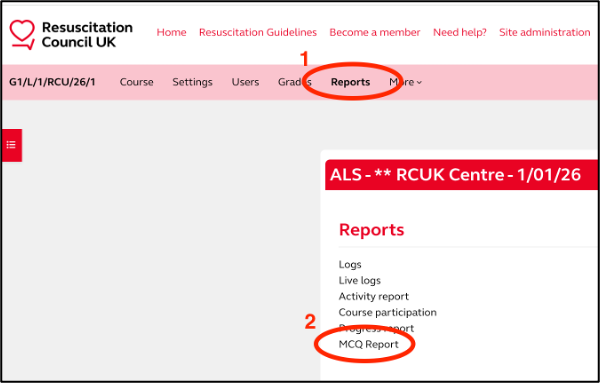
In the MCQ Report, you will see a list of candidates who have completed the assessment, alongside their overall result.
Above the list of candidate names, use the letters to search for a user by first or last name. You can also download the table in Excel or CSV format as shown below:
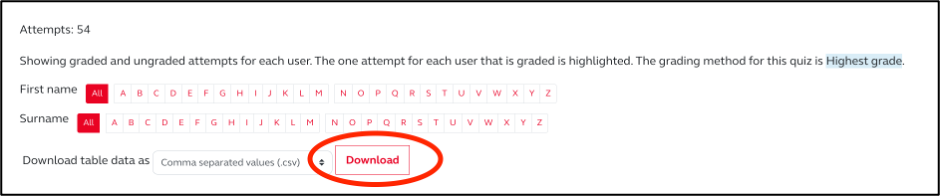
Candidates have unlimited attempts for the assessment. Some candidates' results may be highlighted, indicating their highest score but not necessarily a passing grade.
For advanced courses (ALS, OH-ALS, EPALS, NLS, OH-NLS), candidates must score 80% to attend the face-to-face session. To accurately track candidate progress and eligibility, please ensure you use the MCQ Report for monitoring.
Was this article helpful?
That’s Great!
Thank you for your feedback
Sorry! We couldn't be helpful
Thank you for your feedback
Feedback sent
We appreciate your effort and will try to fix the article